

Google’s Mobilegeddon Algorithm has gone live!

Google’s Mobilegeddon Algorithm has gone live!

Look out world! The apocalypse is upon us! Hide your kids! Hide your wife! And your husbands because Google’s Mobilegeddon is ranking everybody around here!


Ok, ok maybe we are all taking this a little too seriously. I mean, that sounds like a pretty intimidating name right? Well, honestly I think it’s a little too over the top as names go, and it was coined by SEO’s within the industry and not by me. It sure can stir up a lot of questions and worries that website owners may have if they don’t know exactly what is going on. You may have heard friendlier terms such as Panda, Hummingbird, or Penguin from previous algorithm changes that made big stirs within search results, so my best guess is SEO’s just want to grab people’s attention with scarier sounding names.

Now, when Google made the announcement back in February that they were going to launch this update on April 21st, it sounded a lot less threatening.  It was labeled as a Mobile Friendly Search update which after reading states they want to give users better search results when they are on their mobile phones and that can make some feel a little uncomfortable or nervous about how they can make their website more mobile ready. To some an update like this may have come as no surprise, but for others it can be a stressor and you don’t know what to do! If you are in the 2nd camp, don’t worry!  Infogenix is here to help! And we’ve got marshmallows!

So in a nut shell what is it that Google is trying to do? Plain and simply they are trying to give their users a much better experience in mobile search.  We’re in 2015 (the future is now!) and the majority of us all have smart phones that we use constantly to talk, text, play a little candy crush during a boring meeting, and to search online while on the go. It was actually summer of last year when mobile search surpassed searches on computers, and it has taken Google almost a year to catch up with that trend with this update to their algorithm. (Now who’s scrambling?) They are a huge company and are constantly working hard to make changes on search results.  Their primary goal is to help you and your customers find what they are looking for in an instant. Back in 2014 they made over 500 updates to their algorithm! Yeah, 500! It’s a lot but you have a team of SEO experts here at Infogenix to help you achieve your goals with your business online.

So let’s take a look at some examples to see what has happened since this update went live yesterday. It honestly isn’t surprising to see sites that have a very mobile friendly website begin to show an increase in their rankings and those that aren’t as friendly starting to drop. Here are some graphs to show you the trend day by day:

Rankings for a mobile friendly website

rankings for a non-mobile friendly website

Source: AWR Blog

Overall what we are seeing is a 12% increase in visibility for mobile friendly sites than what they had a week ago. It is a small jump but I predict that as this update continues to roll forward it is going to keep jumping higher and higher in mobile search.  It will be the same trend for non-mobile friendly sites, just more of a slowly falling, and falling, to the bottom of Google’s search results. If you’re like me, we don’t want that to happen to your website when a lot of customers are going to be finding you on their mobile devices.

If you aren’t sure if your website is mobile friendly there is a free tool Google offers for you to check: Mobile-Friendly Test

You definitely have the upper hand to your competitors if you’re site is already mobile friendly. If it isn’t then contact us and we can use our master mobile web design skills to get your site where it needs to be! Either way it also is very important that you start working on your rankings for desktop and mobile search now! If you’re reading about this change, it’s guaranteed that your competitors are as well, and they want to increase their visibility just as much as you do. Our SEO team is amazing, I know since I’m in it, and we want to help you gain more followers, make more sales, and have greater visibility online ahead of those competitors!

I’m hoping this helps clear the air a bit about what this whole update is, and what are the best things to do moving forward. If you have any questions or comments please type them in below! Or just give us a call! Whichever you’d like! How many more times can I use and exclamation point!? The world may never know!!!


Measuring Your Online Media Campaigns with Metric-Based Analytics

Measuring Your Online Media Campaigns with Metric-Based Analytics

An Adaptation of our very own Jeremy Albrecht’s recent presentation at UTC Events

Digital media is a great way to tell your small businesses story, and if you are doing it right you can build your brand awareness while improving your bottom line. Understanding how to determine the successfulness of your digital media campaign can be a challenge for many a small business owner. Where do you start? What do you measure? What do all these numbers even mean!?!

While all that data can feel overwhelming at first sight, understanding which metrics to measure from the start will not only help lower your stress level but will help you identify the overall effectiveness of said campaigns.

So Where Do I Start? How About Your Goals

Understanding what you want to achieve with your digital media is a great place to start. Whether you are simply looking to improve your brands awareness or increase sales or leads, having a goal in place before you even create the media asset will go a long way to ensure you will be able to define the ever important questions of “What worked”, “What didn’t work”, “Why” and “Should we do it again.”

-Now that I have my goals set, let’s talk about…

What Should I Measure? Everything!

Ok not everything, but you should measure a lot. A great place to start is “views.” Not every piece of media you create will go viral and that is ok. Having said that understanding the reach is an important metric you will want to track. Depending on the type of media (video, infographic, Facebook post, etc.) you may be tracking traffic, views or how often the video was played.

Next you’ll want to take a look at engagement. This will be different depending on which social media account you are publishing on, but you should include time on site, social shares, time played, comments/reply’s, bounce rate, and likes, pins, favorites etc.

With any metrics you will want to end with conversions (so don’t forget to include a call to action!)

-Ok, Ok I know what to measure, now…

How Do I Track It? Great Question

It will be extremely difficult to measure your campaigns without the numbers. Get started by placing tracking codes on your videos; add event tracking and URL tracking, this will help you capture the views and traffic.
Adding social share buttons next to videos and images that you publish on your site will help aggregate the shares, likes, tweets, pins, etc.  (Oh yea, don’t forget to publish on your site, make sure everyone knows you own it!)

You will also want to make sure you are promoting your content across your social networks.  This will help you expand your reach to those who may not visit your site daily, plus most of the popular social networks have their own analytics tools to use.

-I am glad you brought that up…

How Am I Going to Measure These Metrics? Analytics!

Ok, so you probably already figured that out, but let’s review it here for those who might not be as familiar with how they are going to be diving into the data. So let’s review a few options:

  • Analytics: Google, YouTube
  • Tracking: Code placed on site, Code attached to URLs you share
  • Shares: ShareThis

Google Analytics

Google released their analytics tool to users/website owners to help measure traffic and their sources. By tracking this information you are able to measure a wide variety of initiatives, in our case our media campaigns. A few of the options available through Google’s tool include the following:

Events Overviews

While Google is already tracking a lot of valuable data they don’t capture everything automatically.In order to give site owners more access to how visitors are interacting on their sites they’ve include user generated reports and tracking that can be created by adding some additional information. This is where Events Tracking comes into play.

To review the Events data in analytics you start in Reporting, Behavior>Events>Overview.

Video Events

If you are have included the video onsite (which you should) you will be able to create an Event for the videos as well. To review the video data in analytics you will follow the same path as you did for the Events Overview, only once there you will select Top Events which will bring you to a list of event categories, select the videos to review the information you’ve tracked.

Events Flow

Since you have your Events setup, don’t stop at the overviews, dive in to the Events Flow to understand how your traffic is continuing to interact with your site. This is a great way to get insight into where your visitors are exciting your site, as well as understanding how they are navigating from the event.

You get to the Events Flow section by following the same path as Events Overview, and selecting Events Flow.

YouTube

Did you know that YouTube has its very own analytics tool? Well they do and it has some great data for you to measure. When we talked about what to measure we include views, engagement and of course conversion. Well with YouTube’s analytics you have some great data to parse.

Overview

With the overview you will be able to see a lot of the basic information that includes performance of you video to the engagement, likes, comments, shares, favorites, etc. Not only do you get a great bird’s eye view of the campaign, but you can really dig in to understand more about the users and their interactions with your video.

Demographics

Use the demographics to understand your audience and reach. This includes sex, geography, age and you can even dive into these demographics. Don’t limit yourself to simple reach; if you understand the personas of you target audience, you will be able to measure with effectiveness of your campaign.

And More…

Another great thing about YouTube’s Analytics, is you have many of the same features as Google Analytics. Identify how your viewers are getting to the video with traffic sources, understand when viewers are starting and stopping the videos,  what device are they watching it on and so much more. Jump on in to get a better understanding of how this great tool can help you reach your goals!

ShareThis

Sharethis Social Analysis tool is a great way to dive into social media analytics. With their use of social data you will be able to measure social engagement of the media as well as the online value of said media with the Social Quality Index.


We hope this will help you get started when it comes to measuring the overall effectiveness of your online media campaigns. Sadly this is where Jeremy concluded is sweet presentation; if you are in need of assistance setting up your campaigns or tracking/reporting or one of our many other awesome web services contact us at 801-691-7136


Posted in SEO

Understanding Local: New Google Business Guidelines Update

Understanding Local: New Google Business Guidelines Update

Earlier this month, Google updated their “My Business” guidelines. Local business owners see these and have a tendency to start to panic. Our advice to you is STOP, take a breath, and continue reading.

2 Most Important Highlights From the Update:

Descriptors In Your Business Name Are No Longer Allowed

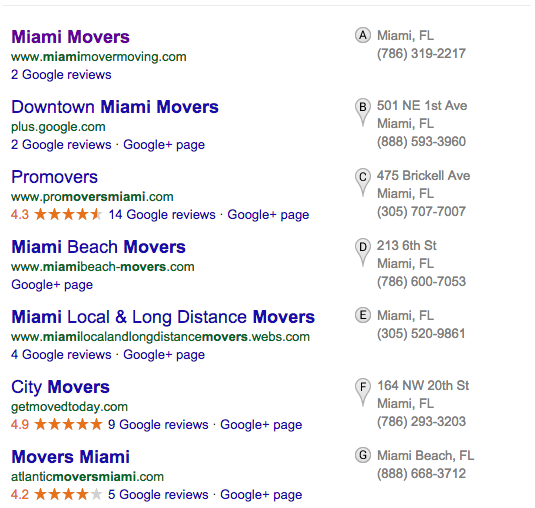
Back in February, Google released a statement that indicated that it was appropriate, even encouraged, to add descriptive keywords to your business name. However, they now state that listings that use descriptors in their business name will eventually be penalized. We’re actually a fan of this update, as it forces Google to take a better look at your website and determine industry relevance based on your websites content.

Accurate Business Categories

Google has come out and said they want business owners to use “as few categories as possible to describe your overall core business from the provided list.” Again, these updates are all in efforts to make things as clearly as possible, getting rid of any additional methods people might use to rank higher. Fixing this one is easy, just make sure you use your brand name only as your business name.

Note: IF your business has keyword descriptors in its name, do not be afraid, the citations you’ve built will prove that it is indeed your brand.

It’s been widely debated whether or not Google will actually enforce these guidelines. While a lot of very influential and intelligent Local experts think it won’t be enforced, we believe it’s important to fix the issues now, rather than wait and see if/when the penalties start rolling in!

Image credit to: InnovationManagement.se